The Analytics Dashboard significantly simplifies the analysis of your trading activity across all accounts and tools. All trading data is presented in one place using clear charts and graphical visualizations.
Now, you can access all the data you need in a single interface and use these insights to refine and improve your trading strategies.
The dashboard is divided into two main sections:
- A Monitoring tab for tracking services
- A Portfolio Analytics tab for evaluating your overall performance
MONITORING OF SERVICES
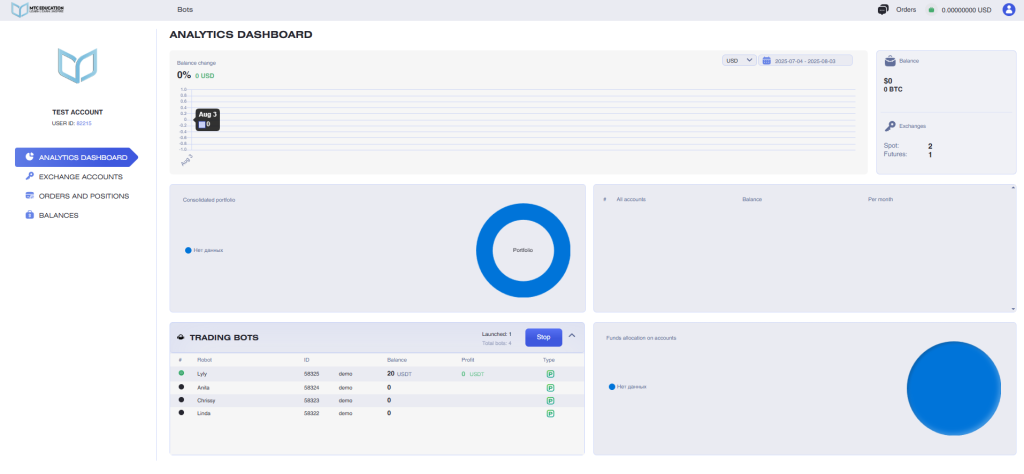
The Monitoring of Services tab includes the following information:
- Your selected time zone and referral link
- Wallet balance, referral balance, and PRO package details
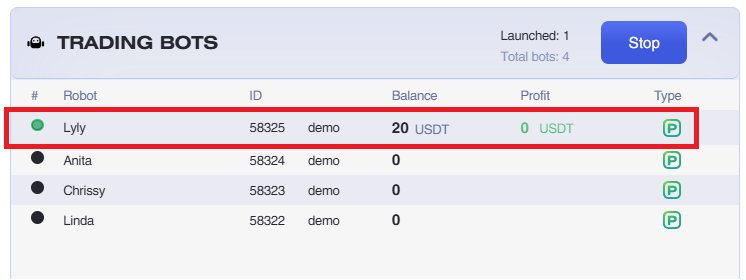
- Information about connected algorithmic trading tools (trading bots, signal bots, and trading signals), including their statuses, balances, and profit data for each instrument
- A bulk stop function for all instruments via the Stop button
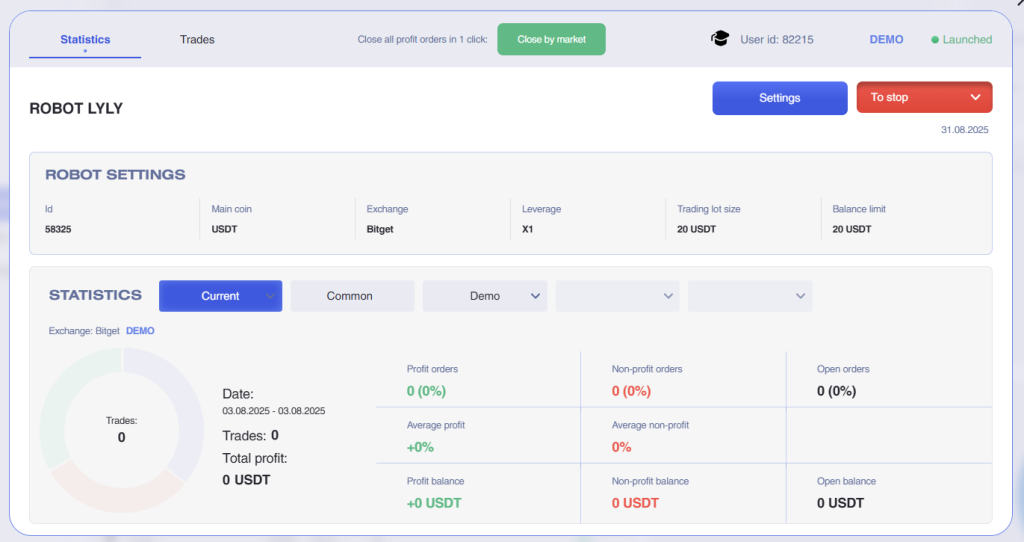
When you click on a bot entry, a window will open displaying the settings of the selected bot.
You can also close all profitable trades with one click directly in the instrument interface.
PORTFOLIO ANALYTICS
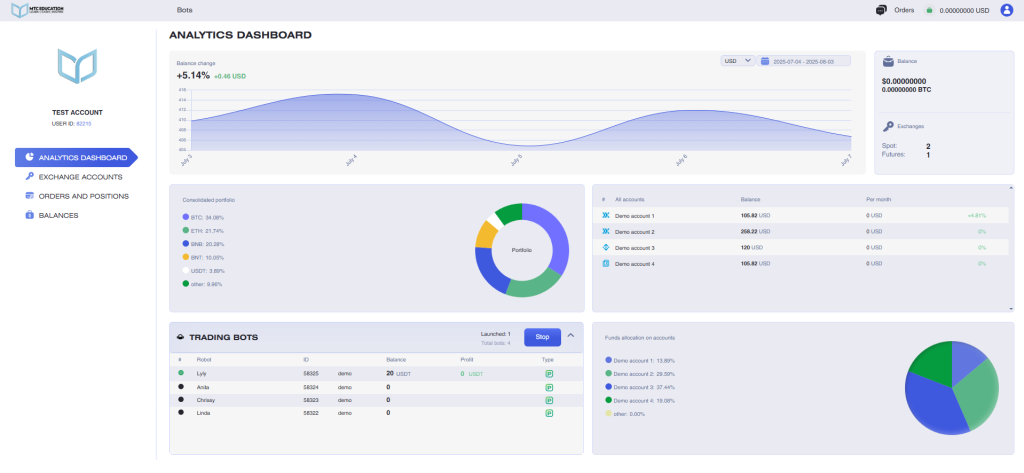
Portfolio analytics tab includes the following data:
- The chart of balance changes across all accounts
- Total balance across all accounts in BTC and USDT
- Amount of connected accounts
- Amount of exchanges
- Amount of open OCOs, amount of available (in pro package)
- Amount of running bots, available bots (in pro package)
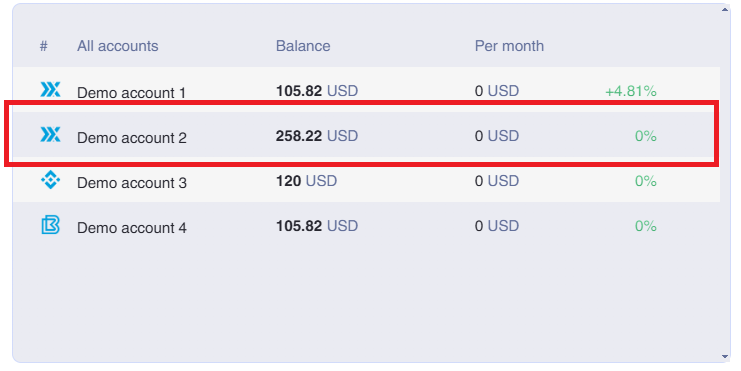
- List of all connected accounts with the balances and the monthly change in percents displayed
- Summary portfolio (across all accounts)
- List of user authorizations
You can also view detailed statistics for each specific account (API key) by clicking on the line of the account you are interested in.
The Account Statistics panel includes the following data:
- Account profit chart
- Account summary portfolio
- Total revenue for today and the current month (displayed in BTC and USDT)
- Bot revenue for today and the current month (displayed in BTC and USDT)
- The balance used by bots (in BTC and USDT)
- A list of coins in the portfolio
In this tab, you can also change the API key associated with the account.
The Analytics Panel is available to all users on a PRO package, and is not accessible to users on the FREE package, except during the first 30 days after registration, when it is temporarily enabled for new users.
Note: Until you add your first API key, the panel will display demo data, with a notification shown just below the analytics panel.