Demo trading at Automation Suite is arranged by trading on demo exchange accounts.
Demo exchanges are available in Bots.
Users can create keys for trading on demo exchanges in the Exchange Accounts section.
This functionality allows you to practice trading without the risk of losing real money. On demo exchanges, our users can open virtual accounts, trade with virtual funds, gain experience on real market rates and test any of our tools.
Use the navigation menu for your convenience:
- Benefits of trading on demo exchanges
- How to create keys for demo exchanges?
- How to use a demo exchange account for trading?
- How to monitor demo exchanges’ balances?
Benefits
- Easy creation. You can start trading on your Automation Suite account without spending time registering on an exchange, creating and adding API keys to the platform.
- A chance to practice. This is the most convenient way to get familiar with the platform interface and try many of the tools in action.
- You do not need to top up the demo exchange balance yourself or deposit funds to a real exchange account.
- Trading without the risk of losing your own funds. This can be especially valuable in conditions of high volatility of the crypto market. You can test this or that trading strategy without risking your assets.
You can add two keys for Demo Exchanges in total – Demo Spot and Demo Futures for spot and futures trading respectively.
Once demo keys are added, each of them is charged with 3000 USDT to the balance, which can be used exclusively on the respective demo exchanges.
How to create keys for demo exchanges?
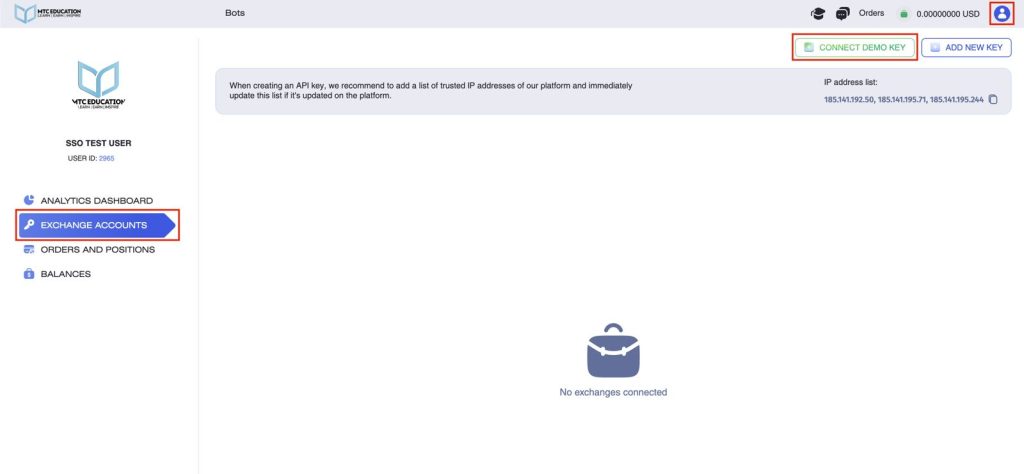
In order to create Demo Spot and Demo Futures keys you need to go to the Exchange Accounts section and click on the Connect Demo Key button.
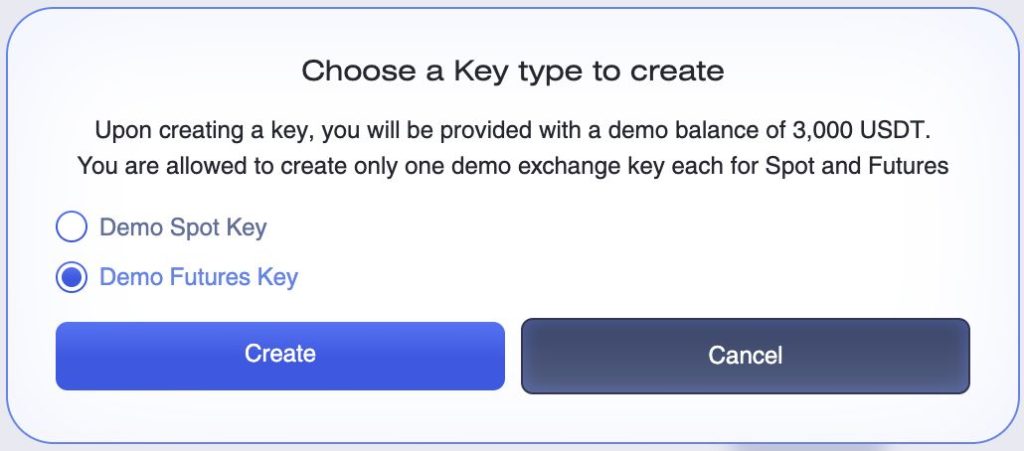
Next, you need to choose the type of key to create – spot or futures and click on the Create button.
We can see that the key of the selected type appears in the Exchange Accounts section.
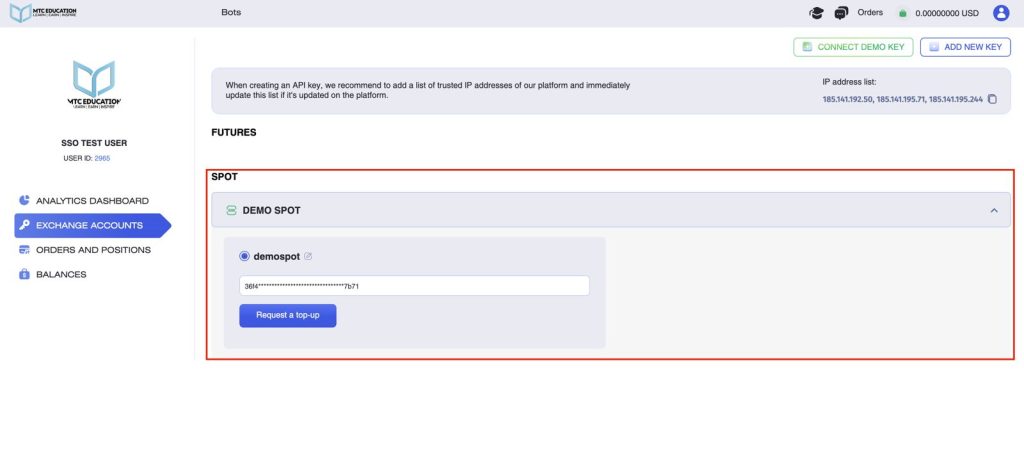
Also, the Request balance button appears next to the key. Clicking on it opens a window with top-up conditions.
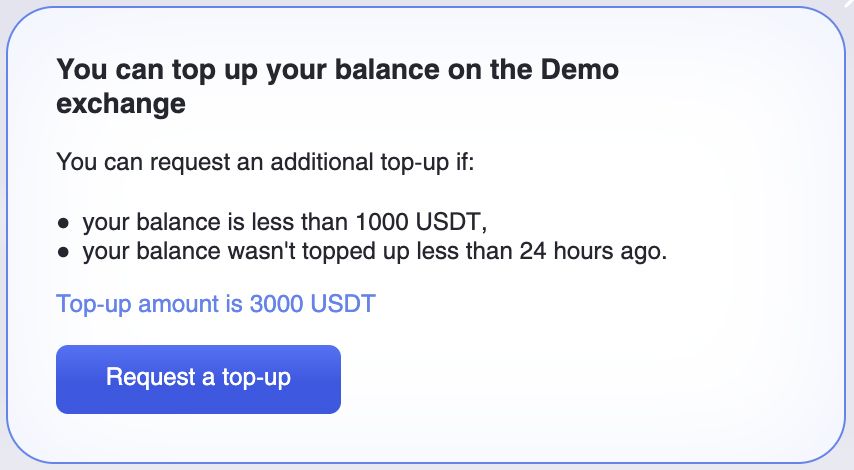
You can request an additional top-up if:
- your balance is less than 1000 USDT,
- your balance wasn’t topped up less than 24 hours ago.
Top-up amount is 3000 USDT.
Click Request Balance and, if all of the above conditions are met, your balance will be instantly topped up.
How to use demo exchange account for trading?
1. Bots
You can also use demo exchanges for algorithmic trading, for example, robot trading.
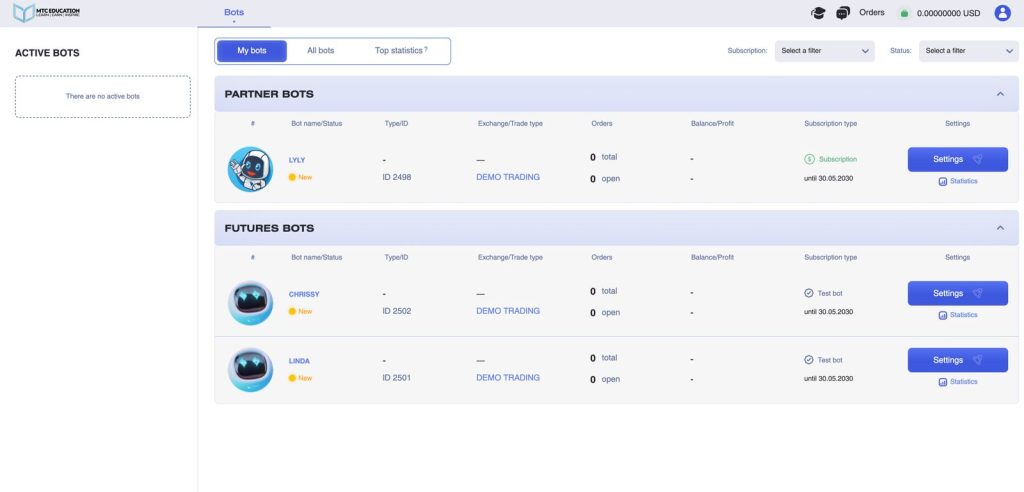
Go to Bots -> My bots, select the robot and click on the Manage button.
Select the demo exchange and demo key, fill in the fields with settings and click Save and Start or Edit and Start, if you have already used this bot.
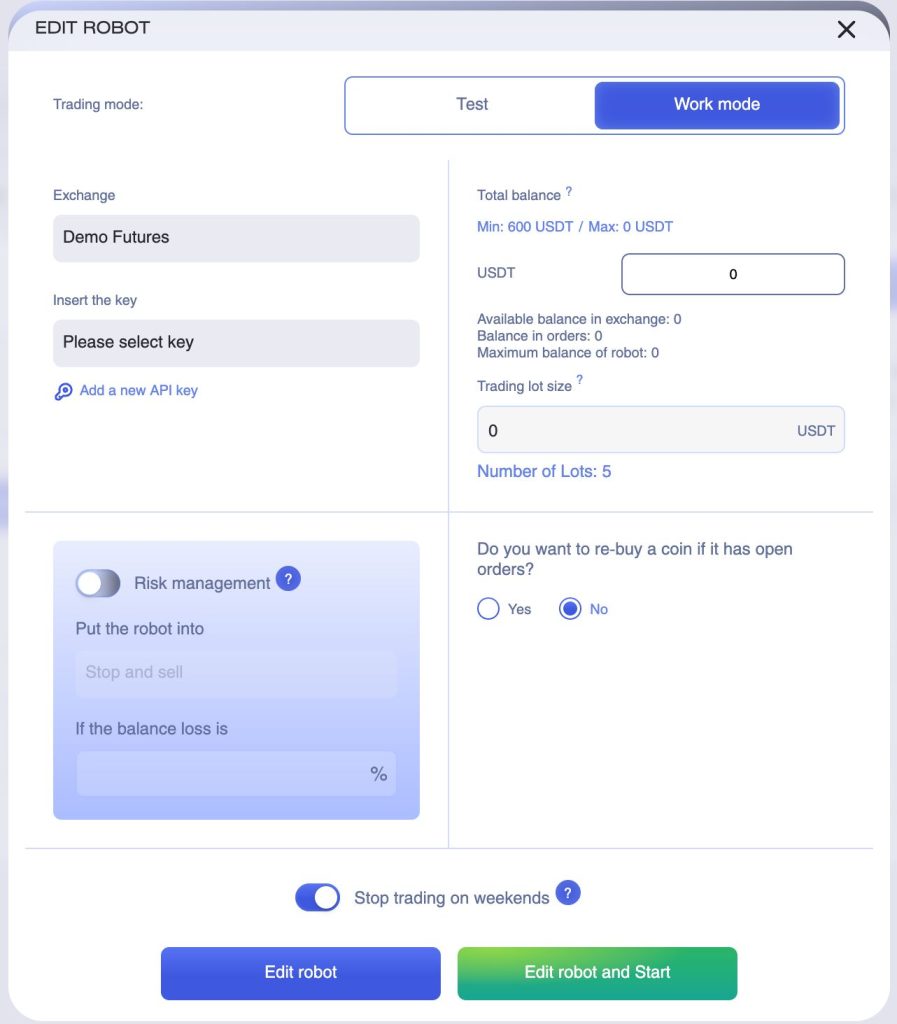
After that, the robot will start trading according to the settings you specified.